 anypaypos








SEARCH WHAT YOU WANT
Search allProductNews
SEARCH
Apparel and boutique stores usually place strong emphasis on visual presentation. The checkout counter is part of the store environment, but it must also process product scanning, returns, discounts, customer information and receipt printing.
The Touch Screen POS A11 Series is included in the ANYPAYPOS commercial touch-screen POS product range. Company application materials identify apparel retail as one of the industries that can use smart POS hardware and industry-specific software.
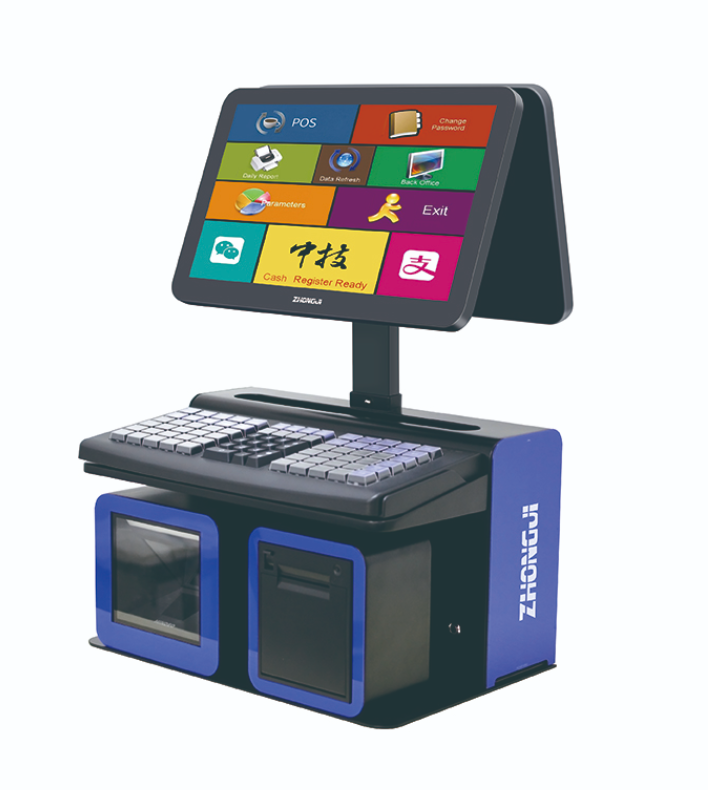
Boutique counters are often smaller than supermarket checkout lanes. A well-organized POS layout can reduce the number of visible cables and separate devices.
The terminal should leave enough room for folding products, removing security tags and preparing bags. Scanners and payment equipment need to be accessible without dominating the counter.
Retailers should consider what the customer can see during the transaction. A customer display or suitable screen arrangement may be added where supported by the selected configuration and software.
The overall setup should match the store format while still allowing employees to replace receipt paper and access connections for maintenance.
Apparel retail involves more than scanning a standard barcode. Employees may need to search by size, color or stock-keeping unit. Promotions may combine different product categories, and returns may require access to the original transaction.
These processes depend primarily on the POS software. The A11 terminal provides the hardware platform, while the retailer’s application controls product variants, discounts, inventory and customer records.
Before rollout, the store should test barcode formats, product searches, promotional rules, returns and receipt output. This is especially important when products use several label styles or when the retailer imports merchandise from different suppliers.
An independent boutique may need one main terminal and a simple peripheral configuration. A chain project requires greater standardization.
The retailer can define an approved A11 specification for all stores, including the operating system, scanner, printer and payment interface. New locations can then follow the same installation process.
Seasonal staff should receive a short operating guide covering login, basic checkout, returns and exception handling. A consistent hardware layout can reduce the time required to become familiar with the counter.
The A11 Series can support apparel and boutique checkout when the terminal is integrated into both the store design and the retail software workflow. A clean counter, tested product database and standardized configuration can improve daily operation without distracting from the customer experience.
Compare Android and Windows POS terminals for retail software, peripherals, deployment and long-term hardware planning.
View details
Learn about all-in-one POS system with practical guidance on hardware selection, integration and deployment for retail and hospitality projects from ANYPAYPOS.
View details
Compare staffed POS terminals and self-ordering kiosks when planning fast food restaurant ordering, payment and kitchen workflows.
View details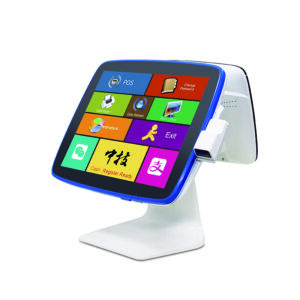
Learn about POS hardware with practical guidance on hardware selection, integration and deployment for convenience-store chains from ANYPAYPOS.
View details