 anypaypos








SEARCH WHAT YOU WANT
Search allProductNews
SEARCH
Receipt printing remains an important part of many retail and restaurant checkout systems. One design choice is whether to use a separate desktop receipt printer or select a POS terminal with a built-in printer.
Current commercial POS products increasingly combine touchscreen terminals with printers, scanners and other peripherals to reduce the number of independent devices around the checkout counter.
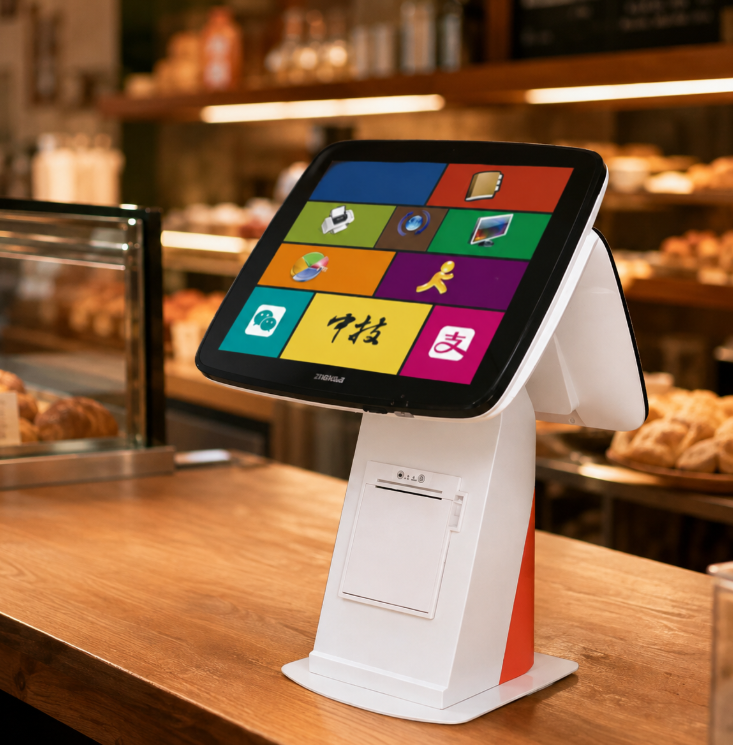
Counter space is one of the main reasons.
A traditional setup may contain a POS monitor, computer, printer, barcode scanner, cash drawer and payment terminal. In a café, convenience store or compact retail location, these devices can occupy a significant amount of workspace.
Integrating the printer into the POS structure can:
ANYPAYPOS offers integrated and modular POS product options across its commercial hardware range.
Integrated hardware is not automatically the best option for every project.
A retailer that prints unusually high volumes may prefer a larger external printer. Some businesses also prefer separate peripherals because they can be replaced individually.
Before deciding, buyers should consider:
The printer should also be tested with the actual POS software and required language characters.
A built-in printer needs to remain easy to maintain.
Employees should be able to replace paper quickly without moving the entire POS terminal. Technical staff should also have access to the module when maintenance is required.
For OEM projects, printer position and enclosure design should be confirmed during sample testing.
A POS terminal with a built-in printer is especially useful when space, appearance and installation simplicity are priorities.
The correct choice depends on printing volume, service requirements and how the checkout counter is used every day.
Learn about touchscreen POS terminal A8 with practical guidance on hardware selection, integration and deployment for retail and hospitality projects from ANYPAYPOS.
View details
Learn about all-in-one POS system A9 with practical guidance on hardware selection, integration and deployment for retail and hospitality projects from ANYPAYPOS.
View details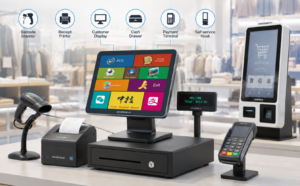
Learn about POS peripheral ecosystem with practical guidance on hardware selection, integration and deployment for retail and hospitality projects from ANYPAYPOS.
View details
Learn about modular industrial computer with practical guidance on hardware selection, integration and deployment for industrial and edge-computing projects from.
View details