 anypaypos









お探しのものを検索
すべてを検索製品ニュース
検索
Pharmacy and specialty retail counters often process a wide range of packaged products within a relatively small service area. Employees may need to scan products, search for an item, print receipts and access store software while continuing to communicate with customers.
The Touch Screen POS A5 Series is part of the ANYPAYPOS commercial touch-screen POS range for retail, restaurant and chain-store checkout applications. The company’s application materials also include pharmacy and specialty retail environments among the broader industries served by its POS solutions.
A pharmacy counter may already contain displays, packaging materials, scanners and payment equipment. The POS terminal should be positioned so that the screen is visible to the employee without blocking communication with the customer.
Frequently used peripherals should remain within easy reach. Cables should not cross the work surface or interfere with product handling.
The store should decide whether receipt printing is integrated into the selected configuration or provided through an external device. External equipment can offer replacement flexibility, while integrated equipment may reduce counter clutter.
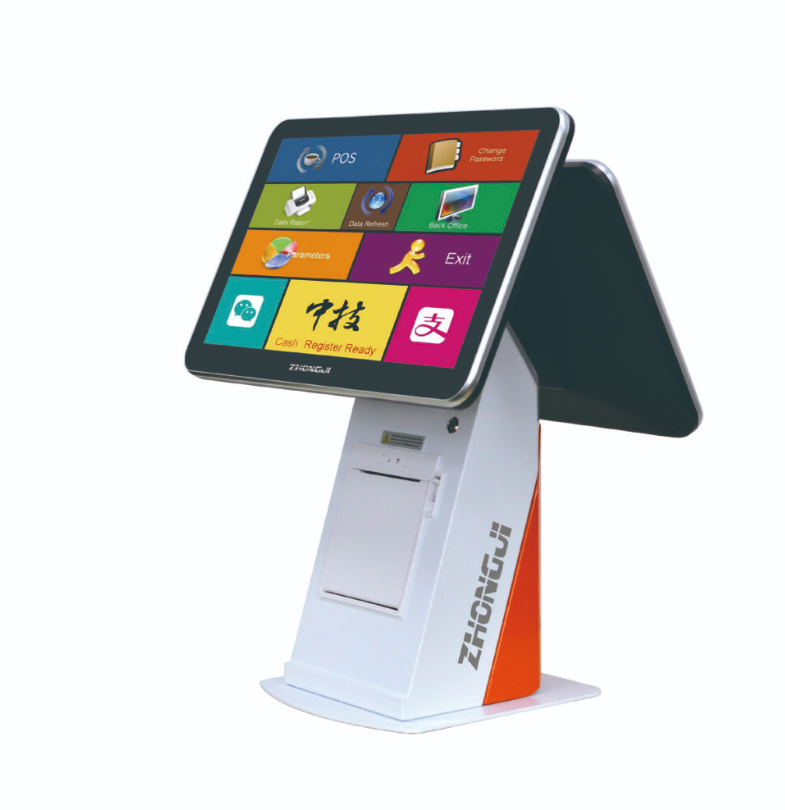
Pharmacy and specialty retail workflows depend heavily on the software system. Product databases, inventory information, pricing and customer records are normally managed by the retailer’s application.
The A5 hardware should therefore be tested with the actual software, scanner and receipt printer before deployment. The software provider should confirm the operating system, driver requirements and supported interfaces.
Where customer or account information is displayed, access controls and screen positioning should follow the retailer’s privacy and security procedures.
A POS terminal does not itself provide pharmacy compliance or medical functionality. Those requirements depend on the approved software, local regulations and operating processes.
Employees should receive a simple procedure for startup, login, barcode exceptions, receipt-paper replacement and shutdown. Clear instructions can reduce unnecessary technical support calls.
The retailer should also prepare a maintenance plan. Screens and external surfaces can be cleaned regularly using suitable methods, while cables and connected peripherals should be checked for looseness or damage.
For chain projects, an approved A5 configuration can be documented and repeated across locations, reducing differences in employee operation.
The A5 Series can serve as the hardware center of a pharmacy or specialty retail checkout counter when it is matched with the correct software and peripherals. Counter organization, privacy procedures and system compatibility remain more important than adding unnecessary hardware functions.
飲食店では、セルフサービスキオスクを導入することで、注文にかかる時間を短縮し、サービスカウンターの混雑を緩和することができます。飲食店のセルフサービスキオスクを利用すれば、顧客はメニューを直接閲覧し、注文を行い、支払いを完了することができます。チェックオを比較する購入者にとっては...
詳細を見る
LS10 AIラベルスケールが、生鮮食品小売業界における計量、商品識別、価格表示、および商品管理をどのようにサポートするかをご覧ください。.
詳細を見る
ANYPAYPOSが、構成計画、筐体設計、モジュール統合、サンプル提供、量産を通じて、OEMおよびODMのPOSプロジェクトをどのように支援しているかをご覧ください。.
詳細を見る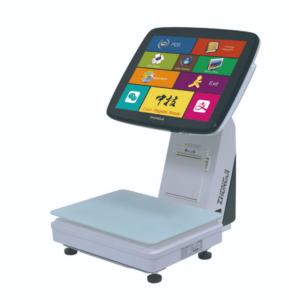
TS7 AI POSスケールが、スーパーマーケットや生鮮食品小売店向けに、計量機能、商品認識支援機能、およびレジ決済機能をどのように統合しているかをご覧ください。.
詳細を見る