 anypaypos








SEARCH WHAT YOU WANT
Search allProductNews
SEARCH
Not every store has enough space for a large floor-standing kiosk. Small restaurants, service counters, convenience stores and reception areas may still want to provide customers with a self-service option without redesigning the entire location.
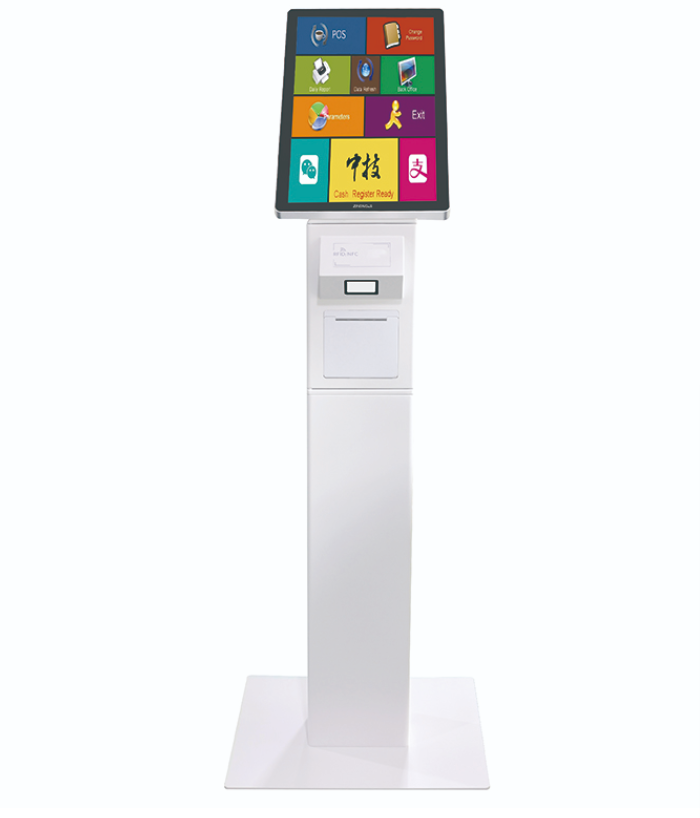
The Self Service Terminal A12S supports self-service ordering, checkout, payment and receipt printing in retail and restaurant scenarios.
A compact self-service terminal should have a focused purpose. Trying to place every store function on one screen can create a confusing customer experience.
The A12S may be configured around a specific workflow such as order entry, simple checkout, information lookup, queue registration or receipt printing, depending on the connected software and selected modules.
Before installation, the business should identify the most repetitive customer task. That task should become the main function of the terminal.
For a café, this may be ordering and payment. For a service counter, it may be checking in or selecting a service. For a retail store, it may be processing simple purchases or retrieving order information.
Compact terminals can be placed on an existing counter or integrated into a dedicated service position. The screen should be located where customers can use it without leaning across staff work areas.
Power and network cables should be concealed or protected. The terminal should not reduce the space required for product display, employee operation or customer movement.
Retailers should also consider privacy. Screens used for account information, order details or payment should not face waiting areas unnecessarily.
Cleaning and receipt-paper replacement need to be possible without moving other equipment. A small footprint is useful only when the terminal remains practical to maintain.
The A12S should exchange the correct information with the main POS or order-management system. Product data, prices, menu availability and order status should remain consistent across staff-operated and self-service channels.
A pilot installation can reveal whether customers understand the screen, where they hesitate and when they ask employees for help.
The business can then adjust wording, button size, screen sequence and terminal position before adding more units.
Compact self-service works best when the terminal is assigned a clear task. The A12S can provide a customer-operated ordering or checkout point in limited spaces, but its success depends on focused software, careful positioning and integration with the existing store workflow.
Convenience store chains need POS hardware that supports repeatable checkout workflows across multiple counters and locations.Smart POS hardware helps chain stores keep daily checkout consistent while supporting staff training and standard store o...
View details
Learn how the Touch Screen POS A20 Series can support pop-up stores, seasonal counters, temporary sales areas and flexible retail checkout.
View details
Retail project buyers should compare screen design counter layout scanning needs and payment workflows before choosing a touch screen POS terminal.A touch screen POS terminal is the center of daily checkout for many retail projects and should matc...
View details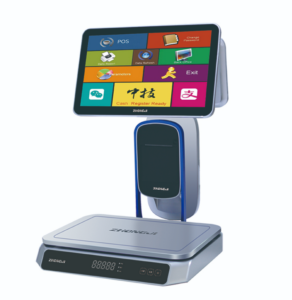
Explore how the AI Touch Screen POS Scale TS1 supports weighing, product recognition, printing and checkout at bakery and deli counters.
View details