 anypaypos









搜索您想要的内容
搜索全部产品新闻
搜索
Although many new retail devices use different operating systems, Windows POS terminals continue to play an important role in professional retail environments.
Many retailers, restaurants and enterprise businesses already operate software systems built around Windows platforms. For these companies, selecting a Windows POS terminal can simplify software deployment and reduce compatibility challenges.
A commercial Windows POS terminal combines touchscreen operation with computer-based flexibility, allowing businesses to run professional retail applications while connecting with various peripherals.
Typical applications include:
For businesses with existing Windows software infrastructure, maintaining the same operating environment can make system management easier.
One major advantage of Windows POS terminals is software compatibility.
Many professional retail applications are developed for Windows environments, including:
This makes Windows POS hardware attractive for businesses that need advanced software functions.
Another advantage is peripheral support.
Retail environments often require multiple connected devices:
Windows-based systems often provide broad compatibility with commercial peripherals.
For large retailers and software providers, this flexibility can simplify integration.
The POS terminal becomes not only a payment device but also a business management workstation.
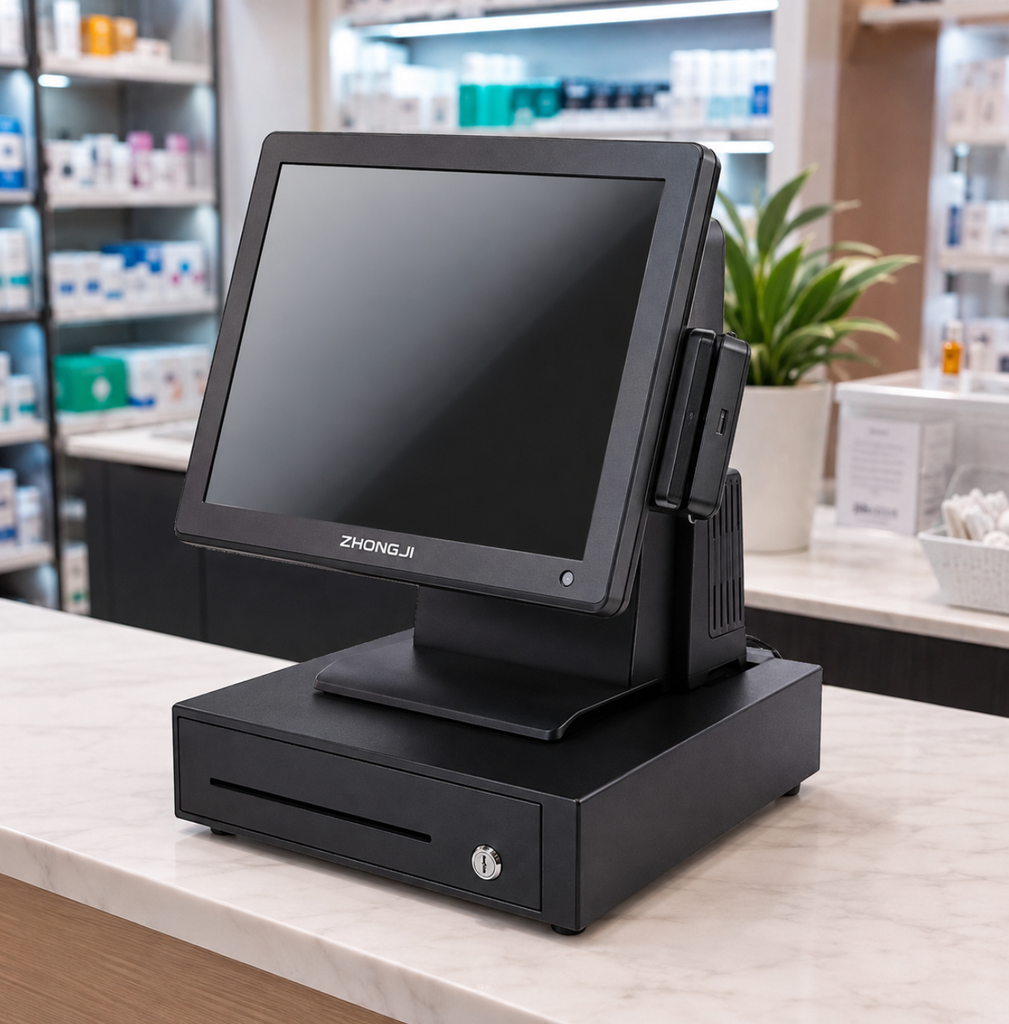
Not every Windows POS terminal configuration is suitable for every application.
Businesses should consider:
Retail software requirements vary significantly.
Simple checkout applications may require basic performance, while enterprise systems with inventory, analytics and multiple modules may need stronger hardware.
The display is where employees interact with the system.
Important factors include:
Future upgrades should also be considered.
A professional Windows POS terminal should allow connection with required peripherals and support future software development.
For distributors and system integrators, maintaining stable hardware configurations is especially important.
A tested configuration can be repeated across multiple customer projects.
Windows POS terminals remain an important choice for professional retail applications because of their software flexibility, peripheral compatibility and enterprise-level support.
For businesses already using Windows-based systems, selecting the right Windows POS terminal can provide a stable foundation for efficient retail management.
Learn about touchscreen POS terminal A3 with practical guidance on hardware selection, integration and deployment for restaurants and quick-service projects from.
查看详情
了解ANYPAYPOS如何在苏州展会上展示智能POS终端、AI电子秤和自助服务终端解决方案;Pinnacle Electronics首次亮相印度尼西亚CIEIE 2025展会,展示智能产品。.
查看详情