anypaypos









搜索您想要的内容
搜索全部产品新闻
搜索
A self-checkout station for one or two convenience items is different from a station designed for a larger basket. Customers need enough space to place unscanned products, complete scanning and organize finished items without mixing them together.
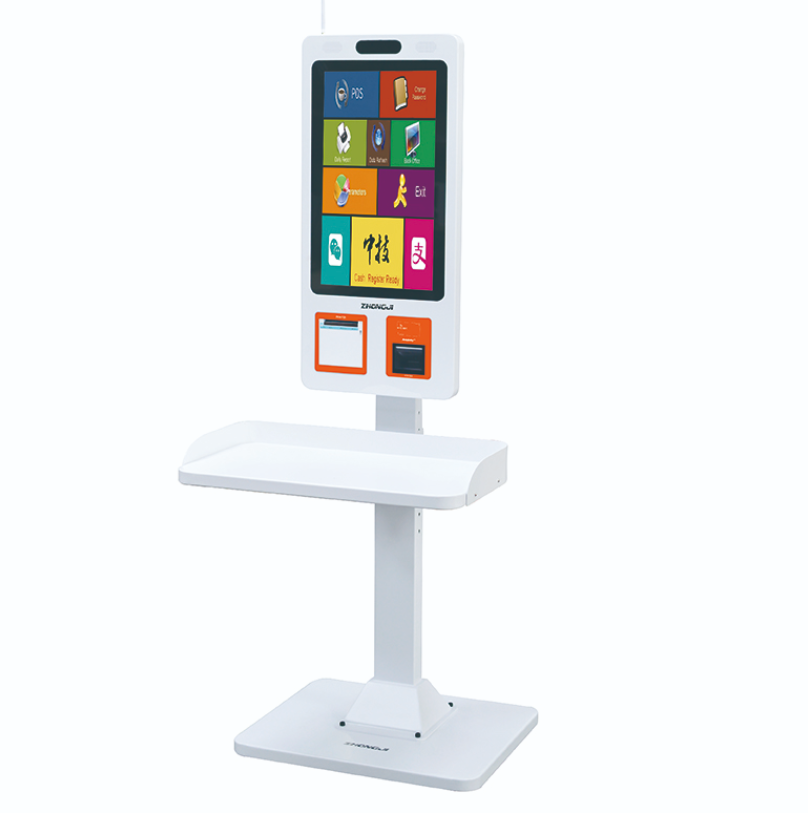
The Self Checkout Kiosk A12KT is part of the ANYPAYPOS self-checkout product range and supports self-service ordering, checkout, payment and receipt-printing workflows.
Retailers should begin by considering the direction of product movement. The customer needs a clear place for the shopping basket, an accessible scanner and a separate area for completed items.
If these areas overlap, customers may lose track of what has already been scanned. The screen, payment terminal and receipt outlet should remain visible throughout the transaction.
The station should also provide enough room for employees to assist without blocking nearby customers. In larger self-checkout areas, a central staff position may allow one employee to observe several terminals.
Store design must consider accessibility. Screen height, approach space and payment-device placement should accommodate different users where required by local regulations and project standards.
The software should guide customers through a consistent sequence: start the transaction, scan items, review the basket, complete payment and collect the receipt.
Instructions should use clear language and recognizable visual prompts. Error messages should tell the customer what action to take rather than display only a technical code.
Payment integration depends on the local provider and software system. Retailers should test the exact payment terminal and communication method that will be used at the store.
Receipt-printing tests should include normal transactions, cancelled transactions and paper replacement. Employees need quick access to the printer without dismantling the entire station.
Self-checkout does not remove the need for store employees. Staff may need to confirm restricted items, correct scanning errors, assist with payment issues or respond when a product barcode cannot be read.
The retailer should define which exceptions can be handled at the terminal and which require supervisor approval.
Loss prevention also needs to be addressed through store layout, staff observation and the retailer’s approved software or security process. Hardware should be treated as one component of a larger operational policy.
The A12KT can support larger-basket self-checkout when the physical station, software prompts, payment process and employee responsibilities are designed together. The aim is not simply to add a self-service machine, but to create a controlled checkout lane that customers can understand and staff can manage.
AI POS电子秤可帮助超市和生鲜零售商将称重识别与结账整合为一个流程。当需要将生鲜称重商品与快速结账相结合时,AI POS电子秤便派上了用场。对于需要比较结账价格的买家…….
查看详情
餐厅可以利用自助点餐机缩短点餐时间,并缓解服务台的工作压力。餐厅自助点餐机为顾客提供了一种直接浏览菜品、下单并完成支付的方式。对于需要比较价格的顾客…….
查看详情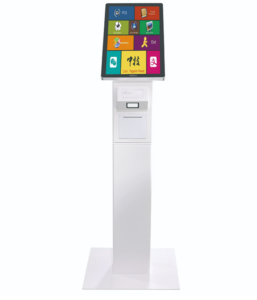
Learn how the Self Service Terminal A12S can support ordering, checkout and receipt printing in stores with limited available space
查看详情