 anypaypos









BUSCA LO QUE QUIERAS
Buscar en todoProductoNoticias
BUSCAR
Small retail stores often have less checkout space than supermarkets or large chain stores. The same counter may need to hold the POS terminal, scanner, printer, payment device, shopping bags and products waiting to be packed.
Adding more hardware does not always create a better checkout system. In many small stores, the most effective approach is to reduce unnecessary equipment and organize the remaining devices around the actual transaction process.
The first step is to measure the counter and understand how products move through it.
Employees normally receive the product, scan or search for it, confirm the transaction, collect payment, print a receipt and prepare the product for the customer. The POS terminal should sit within this workflow rather than interrupting it.
A compact touchscreen POS can help reduce the amount of space occupied by traditional computer equipment. Depending on the project, scanners and printers can either be integrated into the workstation or positioned as separate peripherals nearby.
The important point is that every device should have a reason to be on the counter.
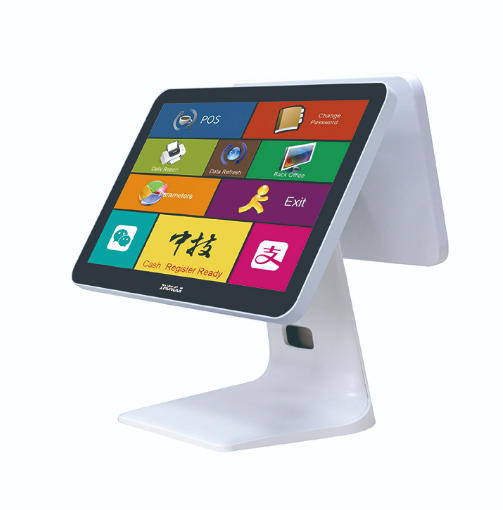
Counter ergonomics can influence daily checkout efficiency.
A barcode scanner that is too far from the product area forces employees to move unnecessarily. A printer placed behind the POS screen may make paper replacement inconvenient. A payment terminal placed too close to the cashier can make customer interaction uncomfortable.
Before final installation, retailers should simulate real transactions.
Products should be placed on the counter and moved through the complete checkout process. This simple test often reveals problems that are not obvious from a floor plan.
Cable management is also important. Loose cables can occupy working space, affect the appearance of the counter and make cleaning more difficult.
Whenever possible, power and data cables should follow a defined route beneath or behind the terminal. Frequently serviced equipment should remain accessible.
The screen angle should also allow employees to operate the terminal without excessive leaning or turning.
Small retailers that plan to expand should begin standardization early.
If the first store uses one printer, another store uses a different scanner and a third location uses another POS configuration, software support becomes increasingly complicated.
Instead, the retailer can create a standard checkout package.
The approved setup might include one POS terminal configuration, one barcode scanner model, one receipt printer, one payment-device position and one cable layout.
A photograph of the completed counter can be included in the installation guide.
When another store opens, the same setup can be reproduced with fewer decisions and less testing.
The software configuration should also be standardized. Operating-system settings, POS application version, printer driver and scanner settings should be recorded.
A spare terminal can then be prepared using the same configuration.
This is particularly useful for independent retailers that do not have a large IT department.
Small-store POS design is not about fitting the greatest number of devices onto a limited counter. It is about creating a simple workstation that supports the transaction without wasting space.
A compact terminal, practical peripheral placement and standardized configuration can make checkout easier to operate and easier to reproduce as the business grows.
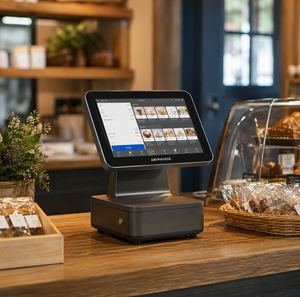
Descubre cómo las pequeñas empresas pueden elegir un sistema de punto de venta (TPV) con pantalla táctil que cuente con el hardware adecuado, la compatibilidad de software necesaria y las opciones de ampliación adecuadas.
Ver detalles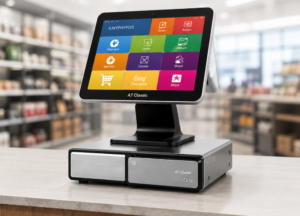
Descubre el sistema TPV «todo en uno» de ANYPAYPOS con consejos prácticos sobre la selección de hardware, la integración y la puesta en marcha para proyectos del sector minorista y de la hostelería.
Ver detalles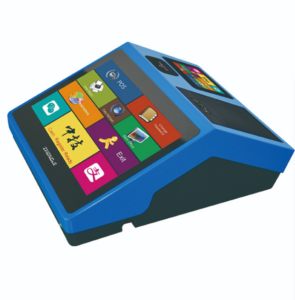
Descubre los sistemas de punto de venta (TPV) con pantalla táctil flexibles y de temporada, con consejos prácticos sobre la selección de hardware, la integración y la puesta en marcha para los sectores minorista y hostelero.
Ver detalles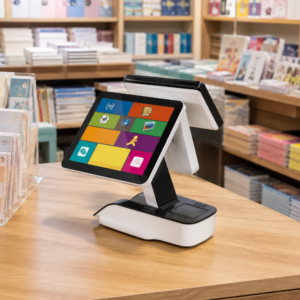
Descubre cómo probar las impresoras de tickets, los lectores de códigos de barras, los cajones portamonedas y las pantallas para clientes antes de poner en marcha un sistema de punto de venta (POS) para comercios minoristas.
Ver detalles