 anypaypos









SUCHE, WAS DU MÖCHTEST
Alle durchsuchenProduktNachrichten
SUCHE
Many retail counters were not originally designed to hold several electronic devices. Yet modern checkout may require a touchscreen terminal, receipt printer, barcode scanner, customer display, payment equipment and cash drawer.
When each component is installed separately, the counter can quickly become crowded.
An integrated POS workstation approaches the problem differently. Instead of treating each device as an independent product, the retailer designs the hardware as one coordinated checkout station.
This does not necessarily mean every device must be physically built into one enclosure. Integration can also mean choosing hardware that fits together efficiently and uses fewer cables.
Retailers should begin by identifying the functions used during most transactions.
If receipt printing happens during nearly every sale, integrating the printer may make sense. If barcode scanning is important but employees regularly scan large products, an external handheld scanner may still be more practical.
Integration should follow workflow rather than appearance.
One of the challenges of highly integrated POS equipment is maintenance.
A clean design is useful only if employees can still replace paper, clean the scanner or access connections without dismantling the complete workstation.
Retailers should therefore evaluate service access during the sample stage.
Receipt-printer paper should be easy to replace. Scanner windows should be accessible for cleaning. Interface ports should remain reachable by technicians.
The terminal should also have enough ventilation and should not be installed so tightly against surrounding furniture that heat cannot dissipate properly.
Integrated hardware also needs software testing.
A built-in printer or scanner is still a peripheral that needs to communicate correctly with the operating system and POS application.
The software team should test normal transactions, receipt printing, scanning, device interruption and system recovery.
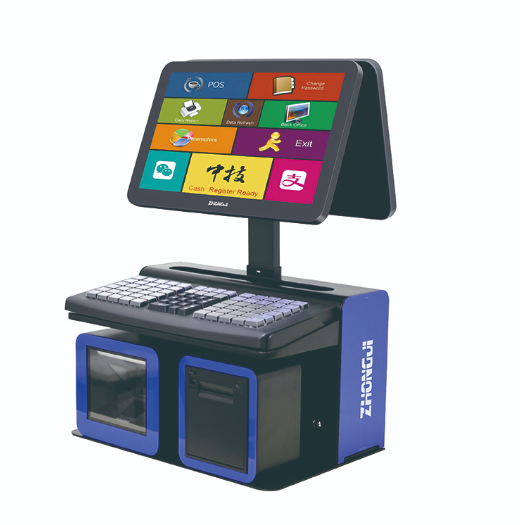
An integrated workstation becomes particularly valuable for multi-store projects.
Instead of allowing each store to design its own counter, the retailer can define one approved workstation.
The specification can include the POS terminal, integrated modules, customer-facing equipment, payment-device position, cable routing and software configuration.
This gives contractors a clear installation standard.
It can also simplify replacement planning.
If every location uses the same integrated POS configuration, spare equipment can be prepared centrally. Employees moving between stores are also more familiar with the layout.
For OEM and ODM projects, integration can go further. Buyers may discuss customized module positions, colors or structural changes with the hardware supplier.
However, the more customized the system becomes, the more important prototype testing and configuration documentation become.
An integrated POS workstation should solve real checkout problems rather than simply create a more advanced-looking machine.
The best design saves space while keeping the printer, scanner, ports and other key components easy to operate and maintain.
For retailers with limited counters or multiple locations, a carefully planned integrated system can create a cleaner and more consistent checkout environment.
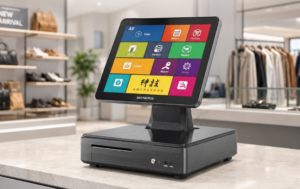
Erfahren Sie, wie POS-Händler ein umfassendes Hardware-Portfolio aufbauen können, das Touchscreen-Terminals, KI-Waagen, Kiosksysteme und Peripheriegeräte umfasst.
Details anzeigen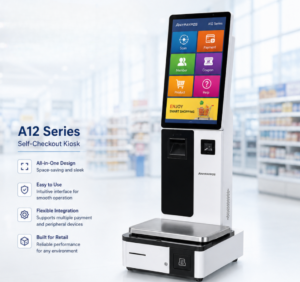
Ein B2B-Leitfaden zur Bewertung von Herstellern von Selbstbedienungskassen für OEM-Projekte im Einzelhandel, Software-Integration und maßgeschneiderte Implementierungsprojekte.
Details anzeigen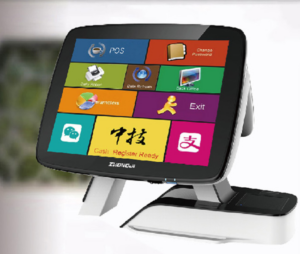
Erfahren Sie mehr über die Herstellung und Prüfung von Smart-POS-Terminals und erhalten Sie praktische Anleitungen zur Hardwareauswahl, Integration und Bereitstellung für Projekte im Einzelhandel und im Gastgewerbe.
Details anzeigen
Erfahren Sie mehr über POS-Terminals mit zwei Bildschirmen und erhalten Sie praktische Hinweise zur Hardwareauswahl, Integration und Bereitstellung für Projekte im Einzelhandel und im Gastgewerbe von ANYPAYPOS.
Details anzeigen