 anypaypos








SEARCH WHAT YOU WANT
Search allProductNews
SEARCH
Self-service equipment is increasingly used to provide customers with an additional way to browse, order, scan or complete payment. It does not have to replace staffed counters. In many projects, a self-checkout kiosk works alongside traditional POS terminals to support peak periods and different customer preferences.
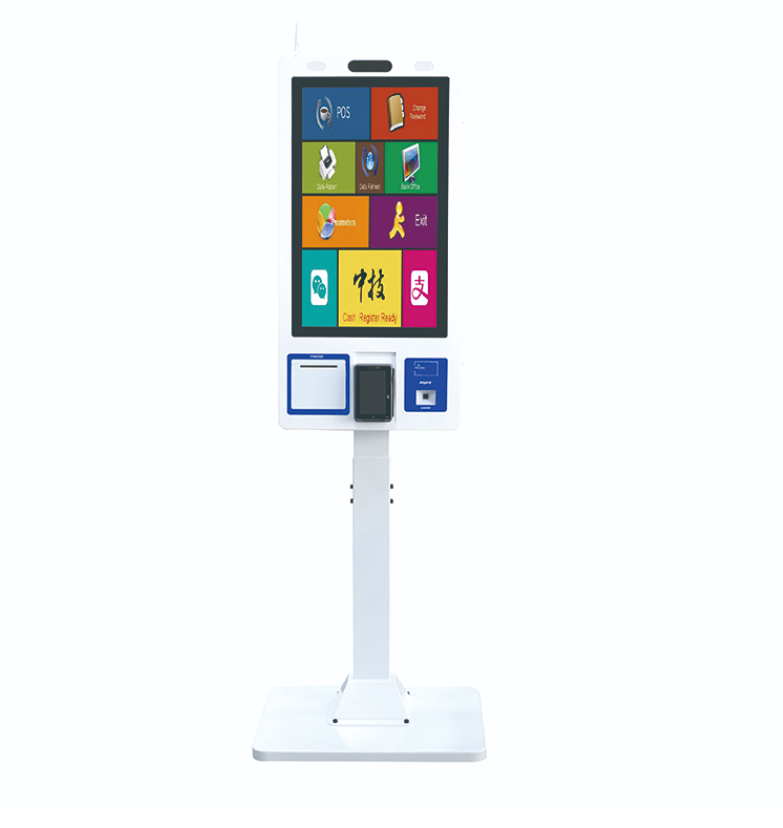
The A12K is part of the ANYPAYPOS self-checkout product range and can be configured according to the store layout and required modules.
The website presents self-service solutions with 21.5-inch, 27-inch and 32-inch touchscreen options. The appropriate size depends on the software interface, viewing distance, installation space and amount of information displayed.
Windows, Android and Linux options are listed for self-service projects. Buyers should select the operating system according to their software application, peripheral drivers and maintenance capabilities.
The kiosk interface should be developed for touch operation. Buttons need to be clearly visible, and the checkout steps should remain simple enough for first-time users.
Depending on project configuration, a self-checkout kiosk can integrate:
The final module combination should follow the actual business process. A restaurant ordering kiosk may need a printer and payment terminal, while a retail self-checkout project may require product scanning, receipt printing and a larger interface.
Payment equipment and software should be integrated according to the payment provider and local compliance requirements.
ANYPAYPOS presents wall-mounted, desktop and floor-standing kiosk options. Each installation method serves a different space.
A wall-mounted unit can reduce floor occupation. A desktop unit may be suitable for a counter or reception area. A floor-standing kiosk provides greater flexibility in open retail spaces but requires careful planning for stability, power and customer flow.
The installation location should not block entrances, emergency routes or staffed checkout areas. Stores should also consider accessibility, screen height, lighting and maintenance access.
Before mass deployment, buyers should test the complete kiosk workflow, including software startup, scanning, receipt printing, payment communication and recovery after a network interruption.
Store employees also need a process for customer assistance, paper replacement, cleaning and exception handling.
Conclusion: A self-checkout kiosk should be configured around a clearly defined customer journey. Choosing the correct screen, modules, operating system and installation method is more important than simply adding as many functions as possible.
Learn about self-service kiosk with practical guidance on hardware selection, integration and deployment for restaurants and quick-service projects from ANYPAYPOS.
View details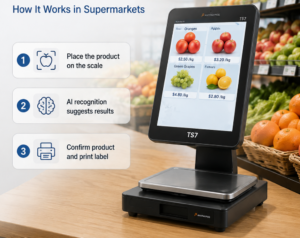
Learn how AI recognition scales combine product identification, weighing and checkout support for produce and fresh food retail.
View details
Learn about self-service kiosk with practical guidance on hardware selection, integration and deployment for retail and hospitality projects from ANYPAYPOS.
View details
Learn about touchscreen POS terminal with practical guidance on hardware selection, integration and deployment for retail and hospitality projects from ANYPAYPOS.
View details