anypaypos









搜索您想要的内容
搜索全部产品新闻
搜索
The checkout counter is one of the few places where nearly every purchasing customer interacts with the store.
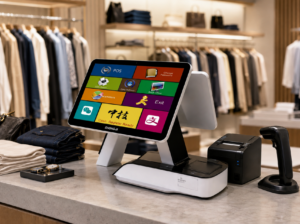
A customer-facing display can make this moment more informative.
During a transaction, the screen may show order information such as product quantities and total value.
This allows customers to follow the transaction without repeatedly asking the cashier.
In food service, a second screen can help confirm the order before payment.
In retail, it may show basket information as products are scanned.
The display creates visibility, but it should remain easy to understand.
Too much information can make the screen less useful.
When the terminal is not processing a transaction, the customer display can serve another function.
Retailers may use it for promotional graphics, membership information or new product communication.
This gives the screen value beyond checkout confirmation.
However, the transition between promotional content and transaction information should be clear.
Once checkout begins, the transaction should take priority.
Promotional messages should not hide price or order information.
Retailers should also avoid filling the screen with long text.
Customers normally look at the display only briefly.
Simple graphics and short messages are more suitable for this environment.
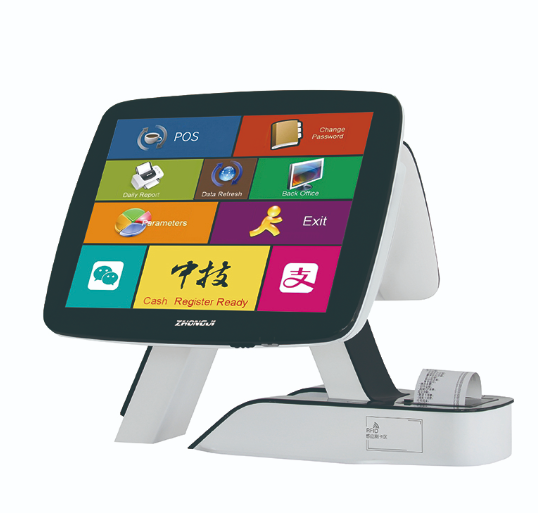
The position of the customer display affects whether customers actually use it.
The display should face the shopper at a natural viewing angle.
It should not be too low, too far away or hidden behind products.
The retailer should also check reflections from overhead lighting.
Software needs to recognize and manage the customer-facing screen correctly.
The content should be tested at the actual display resolution.
If the screen becomes unavailable, the cashier’s primary POS should continue working normally.
For chain stores, the display angle, software layout and promotional-content rules can be standardized.
A POS customer display can serve two useful roles: helping customers understand the current transaction and providing a controlled communication channel between transactions.
The best implementations keep checkout information clear while using idle screen time for concise promotional content.
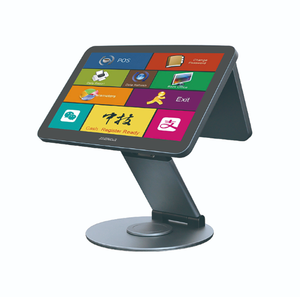
Learn how customer-facing POS screens can support order confirmation, price visibility and in-store communication during checkout.
查看详情