 anypaypos









BUSCA LO QUE QUIERAS
Buscar en todoProductoNoticias
BUSCAR
Installing a self-ordering kiosk is only the hardware part of a restaurant automation project.
The customer still needs to understand how to use the system.
A menu designed for trained employees may contain shortcuts, abbreviations or complex product categories. These can make sense behind a staffed POS counter but may confuse customers using a self-service screen for the first time.
The kiosk interface should therefore begin with a simple structure.
Main categories such as meals, beverages, snacks or desserts should be easy to identify.
Frequently purchased items should not require customers to navigate through several layers.
Product photographs can support recognition, but they should accurately represent what the restaurant actually sells.
The number of choices on one screen should also be controlled.
A large menu does not need to appear all at once.
Restaurant orders often contain customization.
A customer may need to choose size, flavor, side dish or optional ingredients.
These options are useful, but too many screens can make self-ordering slower rather than faster.
The software should present choices in a logical sequence.
Required decisions should be clearly separated from optional additions.
The customer should always be able to see what has already been selected.
Before payment, the kiosk should provide a clear order summary.
This gives customers an opportunity to confirm quantities and choices.
Restaurants should also define what happens when a product becomes unavailable.
The kiosk menu needs to stay synchronized with the restaurant system so customers do not order items that the kitchen cannot prepare.
A good kiosk interface must connect with restaurant operations.
After a customer submits the order, the information may need to reach a kitchen printer, kitchen display or order-management system.
Each product option should appear correctly.
The restaurant should test order numbers, special instructions and preparation routing.
Payment integration should also be included in the test.
If payment fails, the customer needs a clear next step rather than a technical error message.
A pilot installation can reveal where customers hesitate.
Restaurants can observe which screens cause repeated questions and which options are often misunderstood.
The menu can then be adjusted before more kiosks are installed.
The performance of a restaurant self-ordering kiosk depends heavily on menu design.
A powerful terminal cannot create a smooth ordering experience if categories, options and instructions are confusing.
By simplifying navigation and connecting the customer interface directly with kitchen operations, restaurants can make self-service ordering more practical.
Descubre cómo diseñar un quiosco «a21» de pedidos autónomos para restaurantes con consejos prácticos sobre la selección de hardware, la integración y la implantación en restaurantes y...
Ver detalles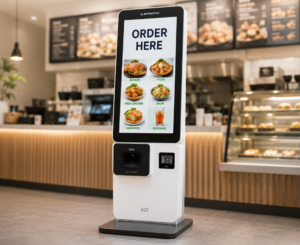
Compara los terminales de punto de venta (TPV) para restaurantes y los quioscos de autoservicio para planificar la toma de pedidos, el pago y el flujo de clientes en distintos tipos de restaurantes.
Ver detalles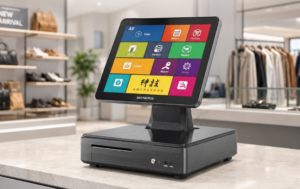
Descubre cómo los distribuidores de sistemas de punto de venta pueden crear una gama completa de productos de hardware que abarque terminales con pantalla táctil, balanzas con inteligencia artificial, quioscos y periféricos.
Ver detalles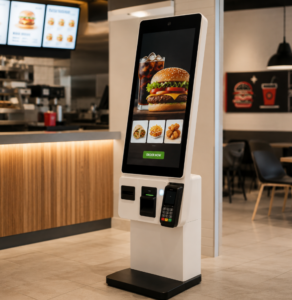
Compara los terminales de punto de venta atendidos por personal y los quioscos de pedido autónomo a la hora de planificar los flujos de trabajo de pedido, pago y cocina en un restaurante de comida rápida.
Ver detalles