 anypaypos









ابحث عما تريد
البحث في الكلالمنتجالأخبار
بحث
Choosing between an Android POS terminal and a Windows POS terminal is one of the first decisions in a retail hardware project. Both platforms can support touchscreen checkout applications, but they are often selected for different software environments and business requirements. Major commercial POS hardware suppliers currently offer Android and Windows platforms across touchscreen POS ranges, showing that both remain important in modern retail deployments.
The operating system should follow the software rather than the other way around.
If a retailer already uses a Windows-based POS application, moving to Android hardware may require redevelopment or additional compatibility work. Windows can also be suitable for projects that depend on traditional desktop applications, serial devices or existing driver packages.
Android POS terminals are often considered for newer touch-based applications, simplified interfaces and projects developed around Android software environments.
Before ordering hardware, the software provider should confirm the required operating-system version, processor architecture, memory, storage and peripheral drivers.
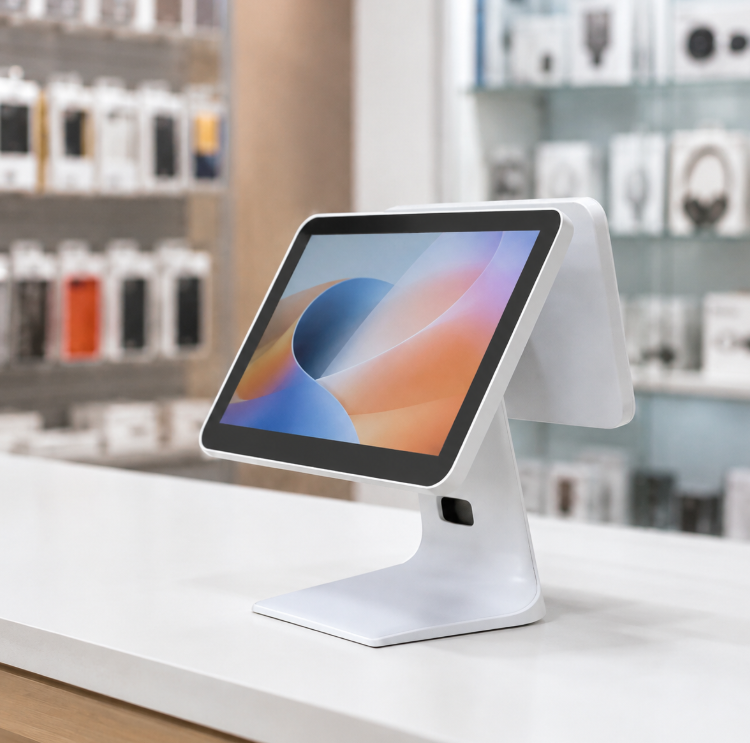
Retail checkout usually involves more than the touchscreen.
A POS terminal may connect with:
Both Windows and Android can support external hardware, but compatibility depends on the specific device, driver and software.
Sample testing should therefore include the complete peripheral configuration rather than testing only the POS application.
Chain-store projects should also consider system updates and maintenance.
A standardized operating environment makes it easier to prepare replacement terminals, reproduce software configurations and manage multiple locations.
For OEM projects, the approved hardware and operating-system configuration should be recorded after testing. This helps reduce unexpected changes between the sample stage and later production batches.
There is no universal winner between Android and Windows POS terminals.
Android can be a practical choice for modern touch-focused applications, while Windows remains valuable for established retail software and peripheral-heavy projects. The correct platform is the one that works reliably with the retailer’s software, hardware and long-term deployment plan.
تعرف على أكشاك الدفع الذاتي مع إرشادات عملية حول اختيار الأجهزة وتكاملها ونشرها في المطاعم ومشاريع الخدمة السريعة من ANYPAYPOS.
عرض التفاصيل
تعرف على جهاز نقاط البيع (POS) A6 المزود بشاشة تعمل باللمس، مع إرشادات عملية حول اختيار الأجهزة وتكاملها ونشرها لمشاريع تجارة التجزئة والضيافة من ANYPAYPOS.
عرض التفاصيل
تعرف على جهاز نقاط البيع (POS) A2 المزود بشاشة تعمل باللمس، مع إرشادات عملية حول اختيار الأجهزة وتكاملها ونشرها لمشاريع تجارة التجزئة والضيافة من ANYPAYPOS.
عرض التفاصيل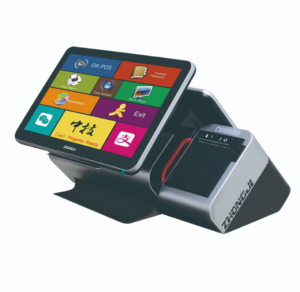
تعرف على نظام نقاط البيع المتكامل A9 مع إرشادات عملية حول اختيار الأجهزة والتكامل والنشر لمشاريع البيع بالتجزئة والضيافة من ANYPAYPOS.
عرض التفاصيل